Six innovations that make Link different
Most practice management software is built as a collection of separate features. Workflow sits in one place, capacity in another, and reporting tells only part of the story. The firm is left to connect the dots.
Link was built differently. At it’s core are reconcilable WIP and Capacity algorithms that unpin the entire infrastructure. Every number in Link can be trusted, investigated, and feeds the overall picture we can paint about a firm.
These six innovations below are what make Link different.
1 Connected Workflow
Most workflow systems help firms track work. They show what jobs are open, who they are assigned to, and where each job sits. But if workflow is disconnected from capacity and reporting, the firm still has to interpret what the work means. A job can look under control while quietly creating capacity pressure, WIP growth or future write-offs.
Link treats workflow as the centre of the firm’s operating model. Every step connects, from proposal to reporting, so work is not only tracked for progress. It is structured so the data created today supports the next decision tomorrow.
The benefit is that partners and managers no longer have to stitch the story together manually. If work falls behind, capacity changes. If time runs over, WIP changes. If jobs sit too long in one state, turnaround reporting changes.
This is difficult to imitate because it cannot be added as a surface-level feature. Connected workflow requires the product’s data model, task structure, capacity logic, WIP reporting and job history to all work together.
2 Perpetual Capacity
Traditional capacity planning is static. Firms build a plan, assign work, estimate hours, and then rely on people to keep it updated. But accounting work changes constantly. Jobs run over. Priorities shift. Clients delay information. New work arrives mid-month.
Link’s capacity is perpetually live. Every task is allocated with three inputs: who is doing the work, when it is due, and how long it should take. Those three inputs automatically update each team member’s available capacity every time something changes.
The benefit is a live answer to one of the hardest questions in firm management: can we take on more work? Managers can see who is overloaded, who has room, where pressure is building, and whether deadlines are realistic.
This is hard to imitate because capacity is not a report sitting beside workflow. It is embedded into how work is allocated and managed. Without that live connection, capacity remains a plan people maintain, rather than a system the work updates automatically.
3 Reimagined WIP Ledger
Most reporting tools show a WIP balance. They can tell a firm how much WIP exists, but often struggle to explain what changed, why it changed, and where the movement came from. Managers only understand recoverability after invoicing, when the work is already complete.
Link reimagines the WIP ledger by making WIP movement visible while work is still happening. Live WIP washups help firms understand performance before invoicing, not months after the job is finished.
The benefit is earlier intervention. Managers can see when a job is starting to drift, when a client is becoming unprofitable, or when a service line is carrying too much unrecovered time.
This is difficult for competitors to imitate because the WIP ledger is not a report that can be bolted on later. It is the underlying infrastructure of the product: how WIP is created, how time is recorded, how invoices are raised, how write-offs are recognised, and how every movement ties back to the same reconciled equation. Most platforms would need to rebuild their data model from the ground up to deliver this properly.
4 Automated Work Allocation
In many firms, allocation depends on manager memory. A manager knows who normally does a certain job, roughly how long it should take, and when it needs to be done. That works while the firm is small, but becomes harder to manage consistently as the team grows.
Link uses historical data to suggest who should do the work, how long it should take, and when it should be due. Managers stay in control, but they are no longer starting from a blank page every time.
The benefit is faster, more consistent planning. Work can be allocated using evidence from the firm’s own history, not guesswork. If a client’s GST work usually takes four hours, that becomes useful planning data.
This is hard to imitate because useful suggestions require structured historical data. The system needs to know the client, task, team member, time taken, due date and workflow history. Without that data, there is nothing reliable to suggest from.

5 Reconciled WIP Equation
Most firms can view WIP in different ways, but those views do not always reconcile. A partner may look at WIP by client, a manager may look at WIP by team, and another report may show WIP by service. If those numbers do not tie back, trust breaks down.
Link shows WIP movements between dates, grouped by jobs, clients, teams or services, with every view reconciling back to the same underlying equation. Firms can see what came in, what was invoiced, what was written off or written up, and what remains in closing WIP.
That gives firms confidence in the numbers. Managers can investigate performance from different angles without debating the report itself.
This is difficult to imitate because reconciliation has to be built into the reporting model from the beginning. If reporting is built from separate tables, exports or snapshots, the views may look useful, but they will not always reconcile.
6 Task State Ledger
Most workflow tools show the current state of a task. A job is waiting on client, in progress, ready for review or complete. That helps the team understand where work sits now, but it does not allow the firm to accurately track job turnaround and identify bottlenecks in the firm.
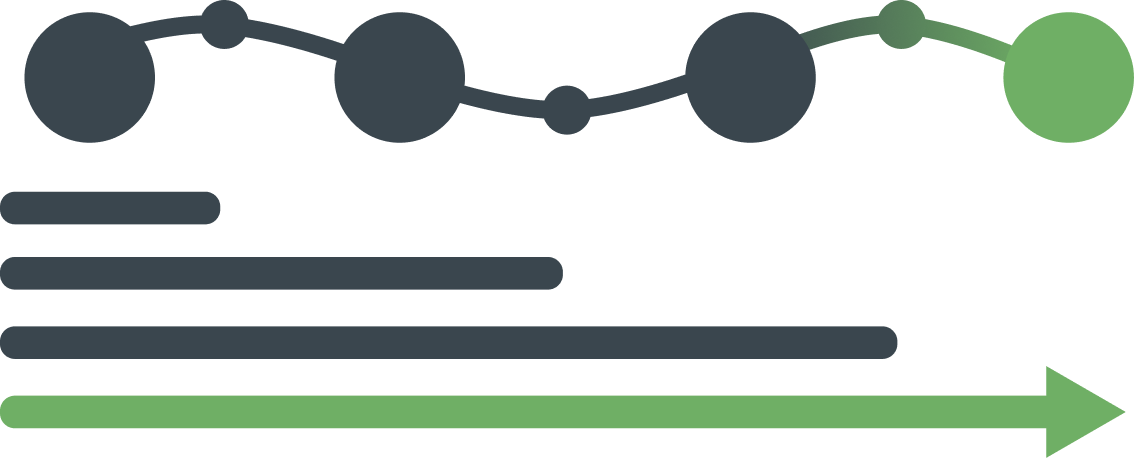
Link’s Task State Ledger records the movement of work through each state. Instead of only showing where a task is today, Link captures how it got there.
The benefit is that firms can manage turnaround with evidence. If jobs are taking too long, Link helps show whether the delay is caused by client information, internal review, partner sign-off, team capacity or unclear ownership.
This is difficult to imitate because most workflow systems are designed around current status, not state history. Without a proper state ledger, competitors can show what is open, but not reliably explain why work slowed down.
Why this matters
Link is not different because it has more features. Link is different because the core parts of practice management are connected.
Workflow creates the structure. Capacity shows the pressure. Reporting proves the performance. WIP explains the commercial outcome. Allocation uses history to plan the next round of work. The Task State Ledger shows where time is really being lost.
When these pieces run separately, the firm is always reacting late. When they are connected, the answer is already in front of you.
Customer Stories
Link simplifies practice management for high-performance accounting firms by not half-solving problems.
Select the customer below to hear their story.
Maria Livingstone, Director“Link gives us confidence that we have visibility over how work is progressing across the team, which means we can respond early if priorities need to shift or additional support is required.”

Candace Nancke, Partner“We realised that we'd be able to track that data over long periods of time for specific clients, making it easier for the team to figure out our results.”

Tyler Rice, Director“Our organisation’s growth, scheduling visibility, and client and team satisfaction can all be attributed to working with Link.”

Cameo Ashe, Director“Day to day, the practice now has a much clearer picture of what needs attention. "I can quickly see what jobs need reviewing so that we can complete and invoice. Simply having the numbers at hand helps to be more engaged in improving the business.”
See for Yourself
Explore how Link delivers Work in Progress reporting in a live, self-guided demo.