Client groups made easier
Client data is only useful when it’s easy to keep organised.
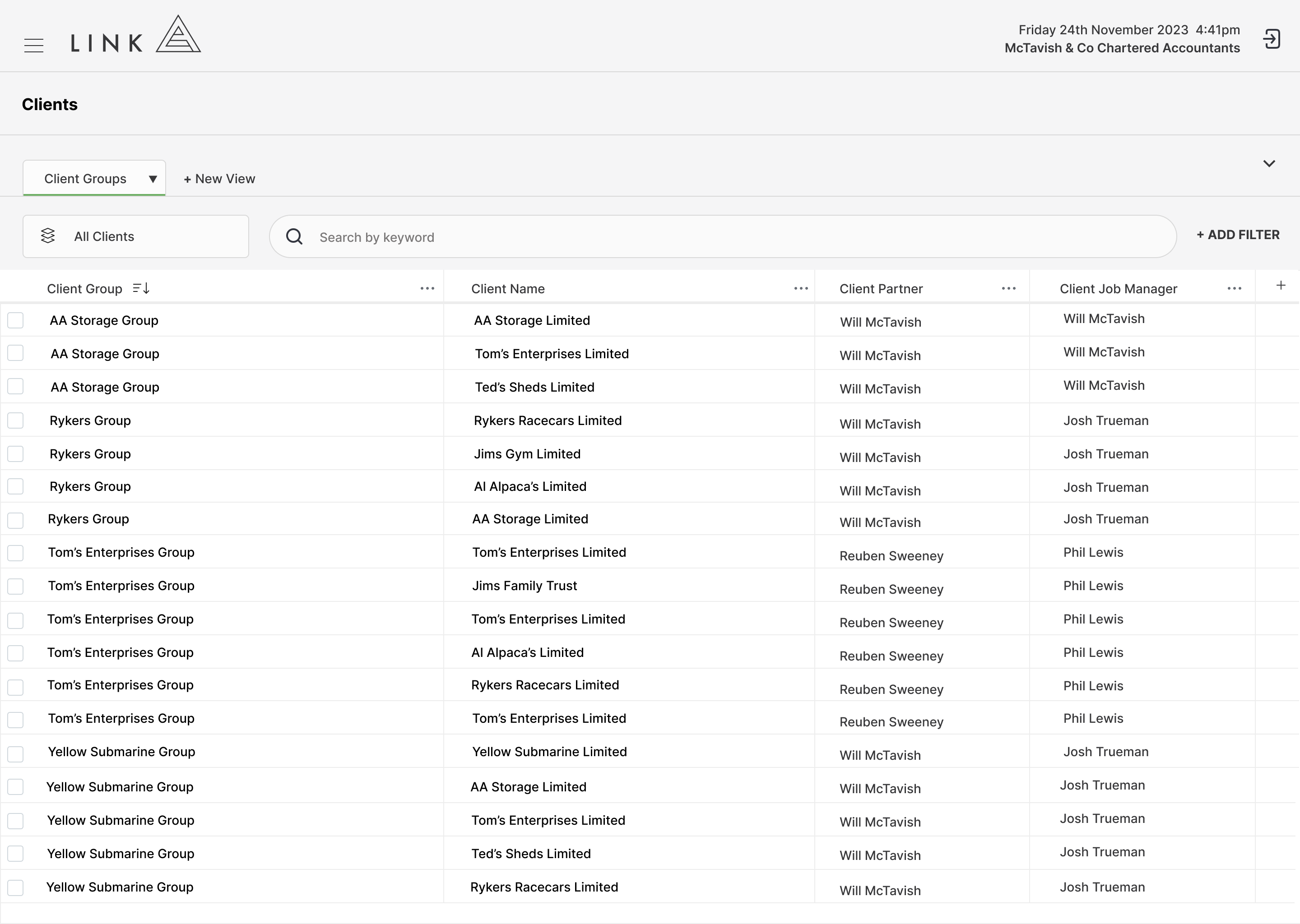
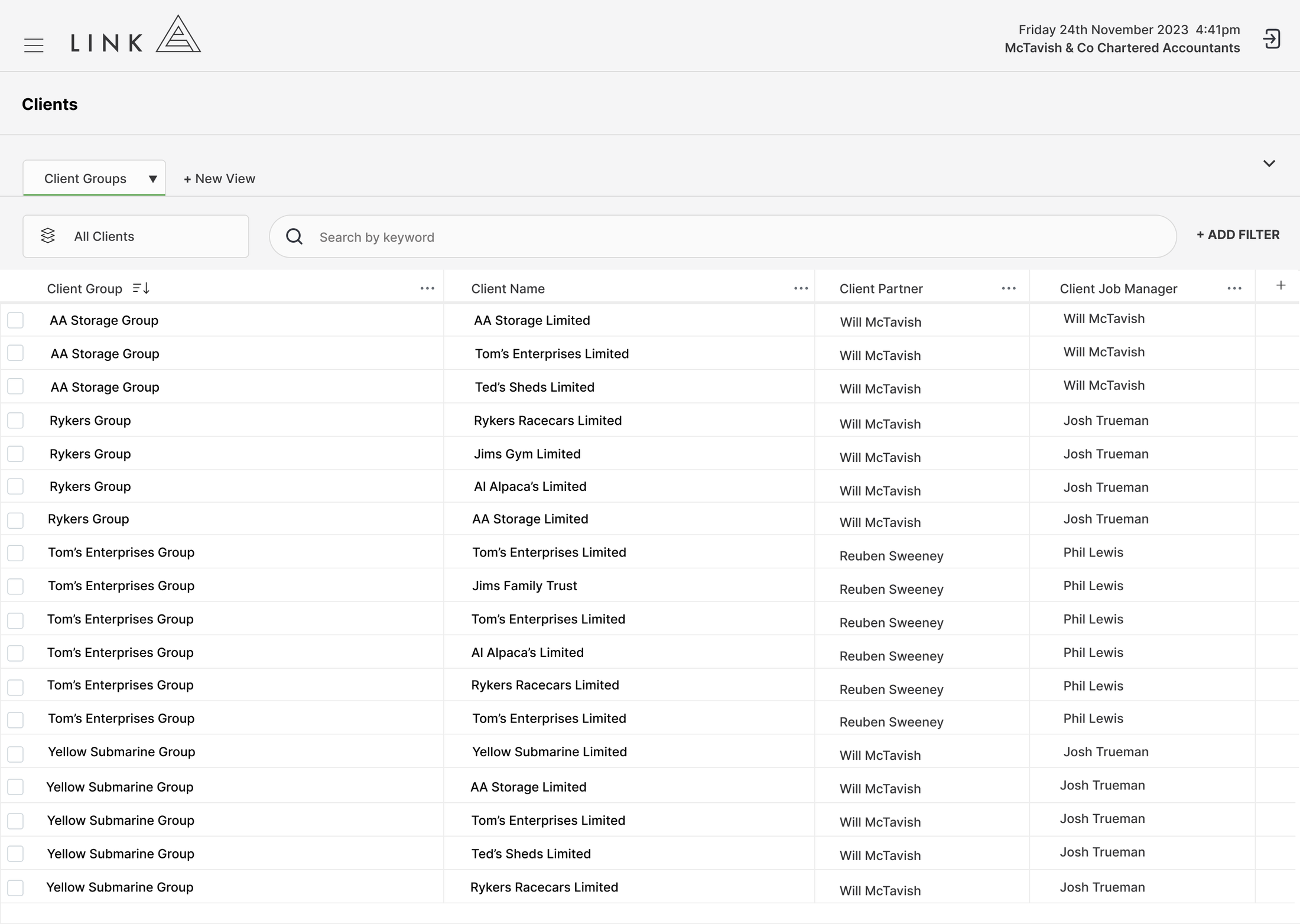
Link gives your team a clear view of your full Xero Practice Manager client list, making it easier to review clients and understand how they are grouped.
Where XPM makes client group updates manual and time-consuming, Link allows you to bulk update client groups in one place.
It’s a simple feature, but a useful one. Less clicking, less admin, and cleaner client data across the firm.
Why Choose Link for Client Management?
Managing client groups in Xero Practice Manager can be slow when updates need to be made across multiple clients.
Link makes this process faster by giving your team a single place to view clients and bulk update client groups without working through each client manually.
Clean client grouping supports better reporting, clearer firm structure, and less admin when maintaining your client database.
Customer Stories
Link simplifies practice management for high-performance accounting firms by not half-solving problems.
Select the customer below to hear their story.
Adam Bird, Director Arcus Advisory“Link has helped with our pricing of our fixed fees, as we have a clearer idea of what is involved and where the leakages are.”

Terri Gamble, DirectorLemonade Beach“We can quickly see where every team member is up to, which allows us to allocate work to the best person for the job at any given time.”

Cameo Ashe, DirectorDrive Accounting“Day to day, the practice now has a much clearer picture of what needs attention. "I can quickly see what jobs need reviewing so that we can complete and invoice. Simply having the numbers at hand helps to be more engaged in improving the business.”

Emma Kenny, Director“The goals we set for lifestyle balance, early job filing and workflow efficiencies have come to fruition. The team hit 90% completion with 3+ months to spare and was fully filed a month before fiscal-year-end. This meant the team earned paid time off on Fridays from Jan–March… there was no EOFY rush.”
See for Yourself
See what connected workflow, live capacity and reporting could look like in your firm. Explore Link’s click-through demo at your own pace. No email required. No sales pitch. Just you and the product.