Connected Practice Management
Connected Practice Management is the idea that every part of an accounting firm’s process should work together, from the first proposal through to the final report.
In Link, this process is built around six connected steps: Proposals, Allocation, Capacity, Workflow, Invoicing, and Reporting. Each step creates the data needed for the next step, forming one continuous loop.
Proposals create jobs. Jobs are allocated to team members with three critical inputs: who is doing the work, how long it should take, and when it is due. Those inputs create capacity, capacity informs workflow, workflow updates capacity, invoicing completes the work cycle, and reporting informs how future proposals should be priced.
The result is a practice management process that becomes smarter over time. Each cycle gives the firm better data, better visibility, and better control over performance.
Proposals That Create Structure
Proposals are the starting point of connected practice management. They define the services agreed to, the fee, the billing model, and the billing frequency.
In Link, proposals do more than create an engagement. They create the jobs, tasks, budgets, due dates, billing values, revenue forecasts, and reporting structure needed for the rest of the process.
Most apps get proposals wrong because they do not consider the flow-on effect into workflow, capacity, WIP, invoicing, and reporting. Work gets created, but without the structure needed to manage workflow, capacity, and scope properly.
Proposals in Link can also use historical WIP and invoicing data to help price services more accurately. They can be created for annual recurring engagements or generated from client emails using AI. With online acceptance and billing details captured upfront, client engagement and payment collection become seamless.
Once a proposal is accepted, the deliverables flow into Allocate Work, where each task can be assigned to the right team member with the right time budget and due date.
Automated Work Allocation
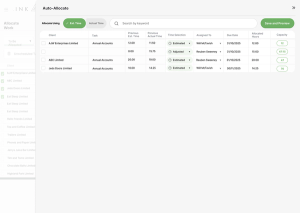
Allocation is the process of assigning team members, estimated time, and due dates to each task. In Link, these three inputs are critical because they create both live capacity and structured workflow.
Most apps get allocation wrong because they treat one or more of these inputs as optional. Work may be placed on someone’s list, but without estimated time or due dates, there is no way to know whether the workload is achievable. This leads to missed deadlines, overloaded team members, and workflow that looks organised but is quietly broken.
Link does allocation differently. Allocate Work and Suggest Allocations use historical data to recommend team members, estimated times, and due dates automatically. Tasks can be split across multiple people, updated in bulk, and allocated at scale, meaning thousands of tasks can be allocated in just minutes.
Allocation feeds directly into Capacity. Once Link knows who is doing the work, how long it should take, and when it is due, it can automatically update each team member’s live capacity and show whether the firm has enough time available to complete the work.
Capacity That’s Always Live
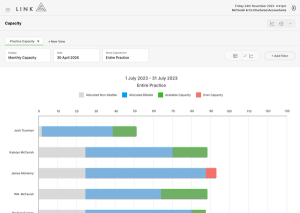
Capacity is the live view of whether each team member has enough time available to complete their allocated work. In Link, capacity is built from three critical inputs: who is doing the work, how long it should take, and when it is due.
Most apps get capacity wrong because it is either missing, disconnected, or static. If capacity sits separate from workflow, it needs constant manual updates to stay accurate. Most firms either spend hours maintaining the plan, or eventually give up and go back to guessing.
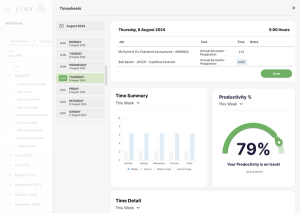
Link does capacity differently. Every allocation, reallocation, timesheet, due date change, and completed task updates capacity automatically. By simply working inside Link, the capacity plan stays live without needing to be manually rebuilt.
This means managers can balance workloads before team members become overloaded. Capacity is visible directly inside workflow, so when work is assigned, it is done with a clear view of each person’s availability. The result is more realistic deadlines, less stress, and work that can actually be delivered on time.
Workflow That Creates Focus
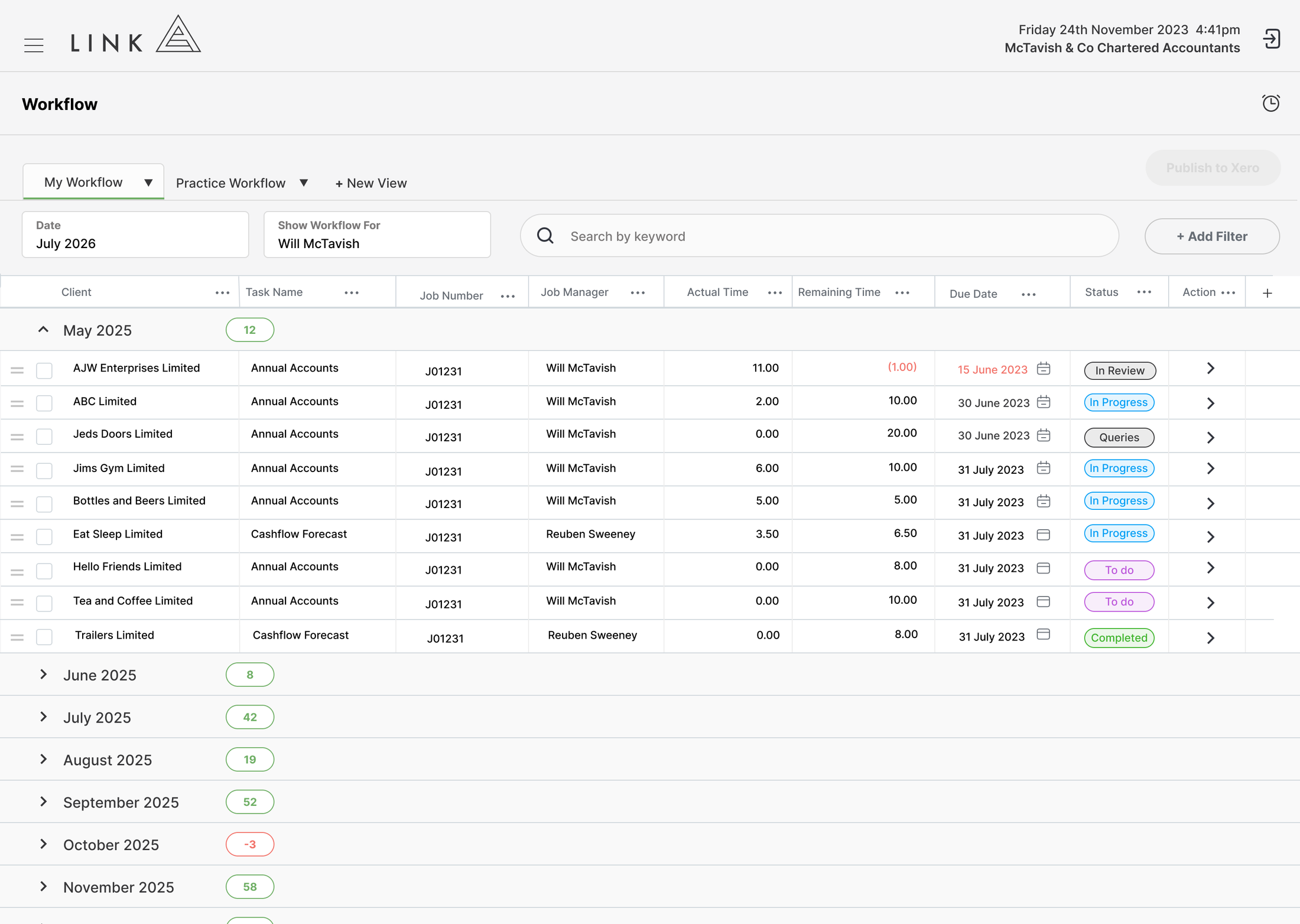
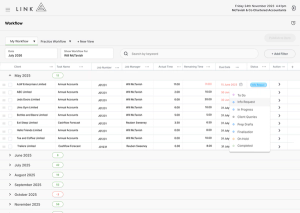
Workflow is the central place each team member works from. It shows the tasks they need to complete, along with the budget, due date, priority, task state, notes, and capacity context needed to manage the work properly.
Most apps get workflow wrong because work is split across too many boards, views, or disconnected lists. This makes it difficult to see everything assigned to a person, understand what is urgent, and adjust priorities as deadlines change.
Link does workflow differently. Work is managed in single searchable workflow view, with drag-and-drop prioritisation, task states, notes, capacity visibility, and timesheets captured directly from the task. Managers can control priority, team members can see what needs to happen next, and everyone works from the same connected place.
Workflow feeds directly into invoicing. As work is completed and time is captured, Link creates the information needed to complete WIP washups, and invoice the work with confidence.

Invoicing That Protects Reporting
Invoicing in Link is driven from the proposal. The engagement sets the billing model, whether the work is subscription, quoted, or time and cost, and this determines when and how the work should be billed.
Most apps treat invoicing as simply creating an invoice. But invoicing is much more than that. It determines how revenue is allocated to time entries, how WIP is washed up, how write-ons and write-offs are recognised, and whether reporting can be trusted.
Link does invoicing differently because the billing model, task budget, workflow, and WIP ledger are connected from the beginning. For time and cost or quoted work, completed tasks can inform what needs to be invoiced. For subscription work, Link can complete WIP washups based on task completion, rather than waiting until year end.
This gives firms more timely and accurate reporting. Write-offs can be recognised closer to when the work is completed, team performance can be measured more fairly, and the WIP ledger stays clean. Invoicing then feeds directly into Reporting, giving the firm reliable data on revenue, WIP, recoverability, profitability, and performance.
Reporting That Improves Pricing
Reporting is the final output of the connected practice management process. It is built from clean WIP, invoices, time entries, budgets, workflow, capacity, and job data.
Most apps get reporting wrong because the data underneath the reports is incomplete or disconnected. If timesheets are optional, task budgets are missing, invoices are disconnected, or WIP washups are delayed, the reports cannot be trusted.
Link does reporting differently by keeping the WIP ledger clean from the start. Job, team, client, and service reporting all reconcile back to the same source of truth, giving firms reliable visibility over write-offs, recoverability, productivity, profitability, and performance.
Reporting then feeds back into Proposals. Link AI can assess historical WIP and invoicing data to suggest how future work should be priced, whether for annual re-engagements or reactive work that arrives by email. This means each cycle makes the next proposal smarter, more accurate, and more profitable.
Customer Stories
Link simplifies practice management for high-performance accounting firms by not half-solving problems.
Select the customer below to hear their story.
Tyler Rice, Director“Our organisation’s growth, scheduling visibility, and client and team satisfaction can all be attributed to working with Link.”

Adam Bird, Director“Link has helped with our pricing of our fixed fees, as we have a clearer idea of what is involved and where the leakages are.”

Simon Ward, Director“We had no reliable way to know how much work we actually had on, what reasonable turnaround times looked like, or where we sat relative to our true capacity ceiling.”

Brendan Podevin, Director“With Link, reporting became automated, systemised, and easy. Schedulable WIP reporting and improved visibility across the business allowed the team to make faster, better informed decisions.”
See for Yourself
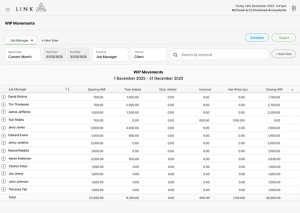
Explore how Link delivers Work in Progress reporting in a live, self-guided demo.