Notes that keep work moving
Notes shouldn’t disappear into separate chats, inboxes, or side conversations.
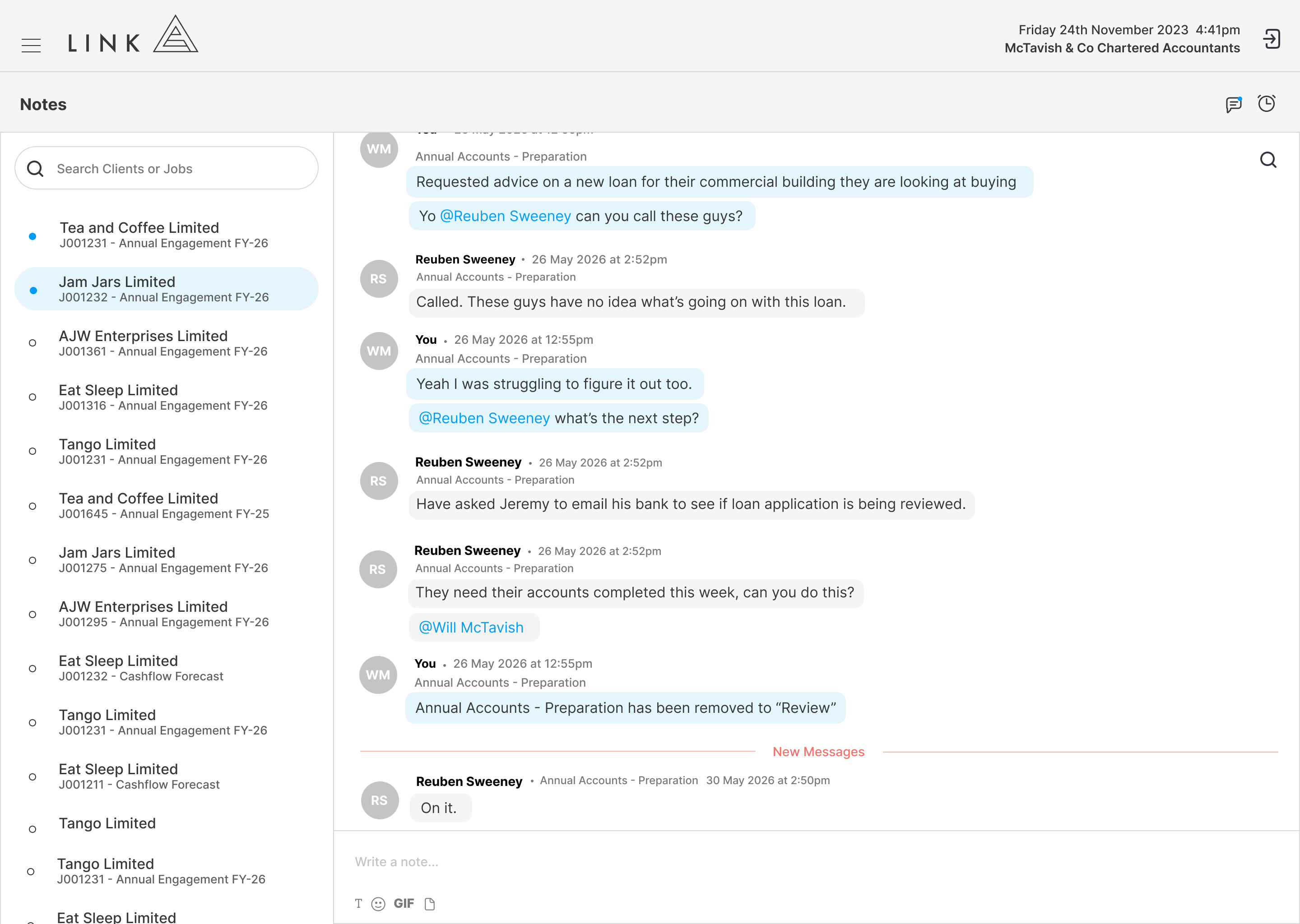
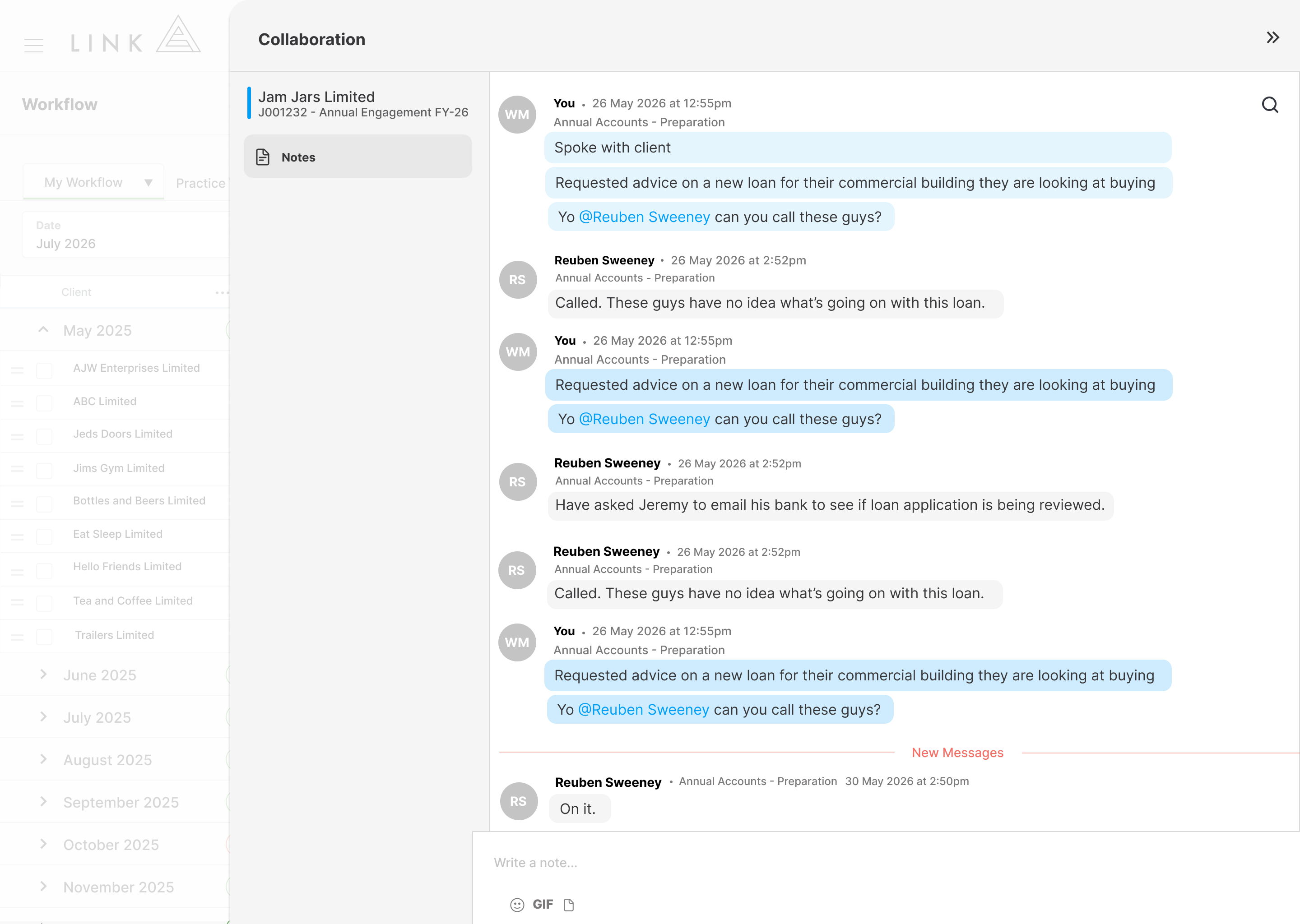
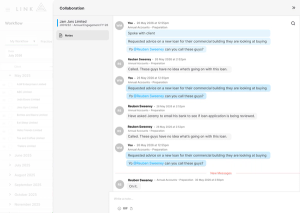
Link lets your team add notes directly to tasks through workflow, with every note captured against the job. If someone leaves a note on a preparation task, the person responsible for the review task can still be notified, keeping communication connected across the full job.
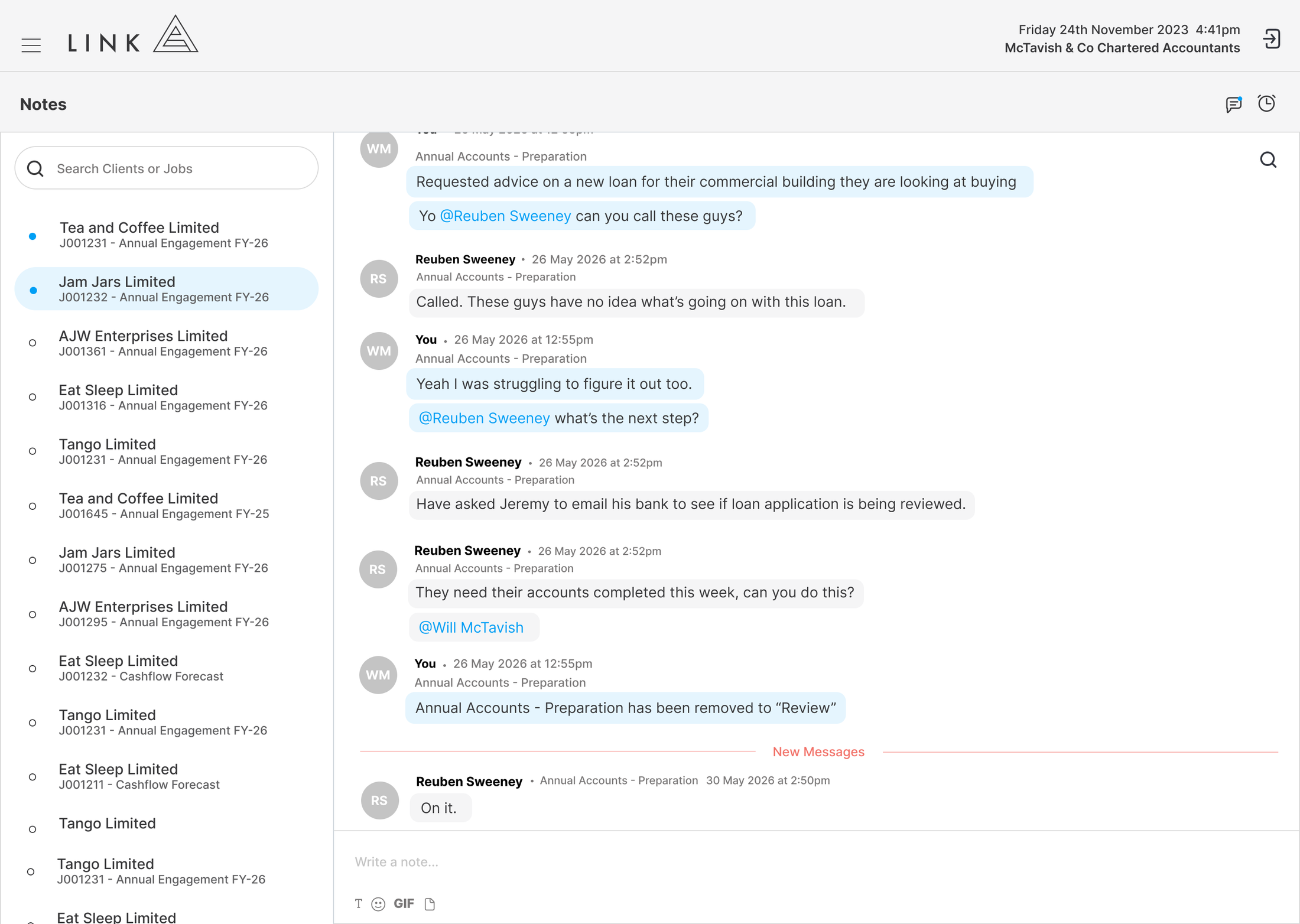
Notes feel familiar from the start, with tagging, threaded replies, pinned notes, and quoted text in a conversational layout your team already understands. No new system to learn. No buried context.
Because notes sit inside workflow and are also available from a dedicated Notes page, your team can communicate where the work happens while still seeing every job note in one place. The result is clearer communication, fewer missed updates, and faster job turnaround.
Why Choose Link for Notes?
Most firms lose important job context in emails, chat messages, or conversations that never make it back to the work. The job keeps moving, but the information needed to complete it often gets scattered.
Link keeps communication attached to the job. Notes can be added directly from workflow, linked to the right task, and shared with the right people through tagging and notifications.
With threaded replies, pinned notes, quoted text, and a full Notes page across all jobs, Link gives your team one clear place to manage job communication. Everyone can see what was said, what matters, and what needs to happen next.
Customer Stories
Link simplifies practice management for high-performance accounting firms by not half-solving problems.
Select the customer below to hear their story.
Shona Wallace, Director Arcus Advisory“We were historically reactive to client work and with the data we were starting to see from Link, we quickly realised that we needed to start being more proactive around planning to become more efficient and ultimately see some dramatic changes in our KPIs.”

Terri Gamble, DirectorRice & Company LLP“We can quickly see where every team member is up to, which allows us to allocate work to the best person for the job at any given time.”

Tyler Rice, DirectorSMYD Accounting / Advisory“Our organisation’s growth, scheduling visibility, and client and team satisfaction can all be attributed to working with Link.”

Phoebe Meares, Head of Operations“You can get the visibility you need quickly and make impactful decisions in a fast-paced environment.”
See for Yourself
See what connected workflow, live capacity and reporting could look like in your firm. Explore Link’s click-through demo at your own pace. No email required. No sales pitch. Just you and the product.